
Playwright - инструмент тестирования пользовательского WEB интерфейса. Ссылка на статью о том как установить и настроить тесты с помощью библиотеки PLayWrights в Habr.ru https://habr.com/ru/companies/jugru/articles/652919/
Установка Playwright из https://playwright.dev/
$ npm i playwright added 2 packages, and removed 43 packages in 28s npm notice npm notice New minor version of npm available! 11.6.2 -> 11.12.1 npm notice Changelog: https://github.com/npm/cli/releases/tag/v11.12.1 npm notice To update run: npm install -gАдрес электронной почты защищен от спам-ботов. Для просмотра адреса в браузере должен быть включен Javascript. .1 npm notice
$ npm init playwright@latest
Протокол:
> playwright@1.0.0 npx
> "create-playwright"

Getting started with writing end-to-end tests with Playwright:
Initializing project in '.'
✔ Do you want to use TypeScript or JavaScript? · JavaScript
✔ Where to put your end-to-end tests? · e2e
✔ Add a GitHub Actions workflow? (Y/n) · true
✔ Install Playwright browsers (can be done manually via 'npx playwright install')? (Y/n) · true
✔ Install Playwright operating system dependencies (requires sudo / root - can be done manually via 'sudo npx playwright install-deps')? (y/N) · false
Installing Playwright Test (npm install --save-dev @playwright/test)…

up to date, audited 6 packages in 1s

found 0 vulnerabilities
✔ /home/vasi/temp/playwright/playwright.config.js already exists. Override it? (y/N) · false
✔ /home/vasi/temp/playwright/.github/workflows/playwright.yml already exists. Override it? (y/N) · false
Writing e2e/example.spec.js.
Writing package.json.
Downloading browsers (npx playwright install)…
Removing unused browser at /home/vasi/.cache/ms-playwright/chromium-1194
Removing unused browser at /home/vasi/.cache/ms-playwright/chromium_headless_shell-1194
Removing unused browser at /home/vasi/.cache/ms-playwright/firefox-1495
Removing unused browser at /home/vasi/.cache/ms-playwright/webkit-2215
BEWARE: your OS is not officially supported by Playwright; downloading fallback build for ubuntu24.04-x64.
Downloading Chrome for Testing 147.0.7727.15 (playwright chromium v1217) from https://cdn.playwright.dev/builds/cft/147.0.7727.15/linux64/chrome-linux64.zip
170.4 MiB [====================] 100% 0.0s
Chrome for Testing 147.0.7727.15 (playwright chromium v1217) downloaded to /home/vasi/.cache/ms-playwright/chromium-1217
BEWARE: your OS is not officially supported by Playwright; downloading fallback build for ubuntu24.04-x64.
Downloading Chrome Headless Shell 147.0.7727.15 (playwright chromium-headless-shell v1217) from https://cdn.playwright.dev/builds/cft/147.0.7727.15/linux64/chrome-headless-shell-linux64.zip
112 MiB [====================] 100% 0.0s
Chrome Headless Shell 147.0.7727.15 (playwright chromium-headless-shell v1217) downloaded to /home/vasi/.cache/ms-playwright/chromium_headless_shell-1217
BEWARE: your OS is not officially supported by Playwright; downloading fallback build for ubuntu24.04-x64.
Downloading Firefox 148.0.2 (playwright firefox v1511) from https://cdn.playwright.dev/dbazure/download/playwright/builds/firefox/1511/firefox-ubuntu-24.04.zip
103.1 MiB [====================] 100% 0.0s
Firefox 148.0.2 (playwright firefox v1511) downloaded to /home/vasi/.cache/ms-playwright/firefox-1511
BEWARE: your OS is not officially supported by Playwright; downloading fallback build for ubuntu24.04-x64.
Downloading WebKit 26.4 (playwright webkit v2272) from https://cdn.playwright.dev/dbazure/download/playwright/builds/webkit/2272/webkit-ubuntu-24.04.zip
98.9 MiB [====================] 100% 0.0s
WebKit 26.4 (playwright webkit v2272) downloaded to /home/vasi/.cache/ms-playwright/webkit-2272
BEWARE: your OS is not officially supported by Playwright; downloading fallback build for ubuntu24.04-x64.
✔ Success! Created a Playwright Test project at /home/vasi/temp/playwright

Inside that directory, you can run several commands:

npx playwright test
Runs the end-to-end tests.

npx playwright test --ui
Starts the interactive UI mode.

npx playwright test --project=chromium
Runs the tests only on Desktop Chrome.

npx playwright test example
Runs the tests in a specific file.

npx playwright test --debug
Runs the tests in debug mode.

npx playwright codegen
Auto generate tests with Codegen.

We suggest that you begin by typing:

npx playwright test

And check out the following files:
- ./e2e/example.spec.js - Example end-to-end test
- ./playwright.config.js - Playwright Test configuration

Visit https://playwright.dev/docs/intro for more information. ✨

Happy hacking! 🎭
Проведение теста
Тест /home/vasi/temp/playwright/tests/example.spec.js:
// @ts-check
import { test, expect } from '@playwright/test';

test('has title', async ({ page }) => {
await page.goto('https://playwright.dev/');

// Expect a title "to contain" a substring.
await expect(page).toHaveTitle(/Playwright/);
});

test('get started link', async ({ page }) => {
await page.goto('https://playwright.dev/');

// Click the get started link.
await page.getByRole('link', { name: 'Get started' }).click();

// В heading
await expect(page.getByRole('heading', { name: 'Installation' })).toBeVisible();
});
Проведение теста:
vasi@vasi-note:~/temp/playwright$ yarn playwright test
yarn run v1.22.22
warning ../../package.json: No license field
$ /home/vasi/temp/playwright/node_modules/.bin/playwright test

Running 6 tests using 2 workers
6 passed (35.3s)
To open last HTML report run:
yarn playwright show-report
Done in 37.32s.
Просмотр результатов:
$ yarn playwright show-report
откроется страница с результатами тестов:
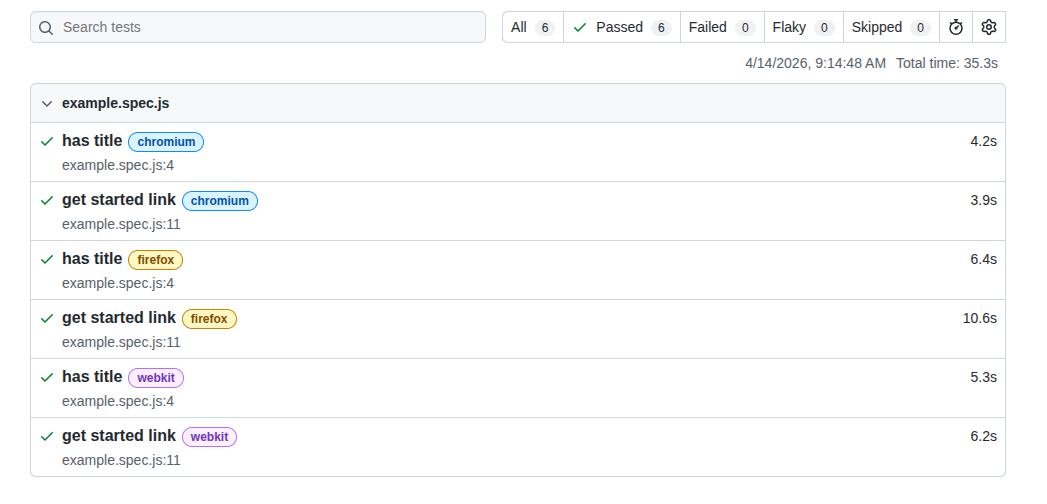
или другой вариант просмотра результатов:
npx playwright show-report '/home/vasi/temp/playwright/playwright-report'
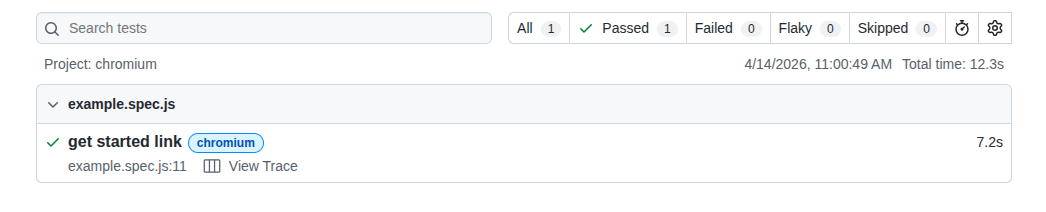
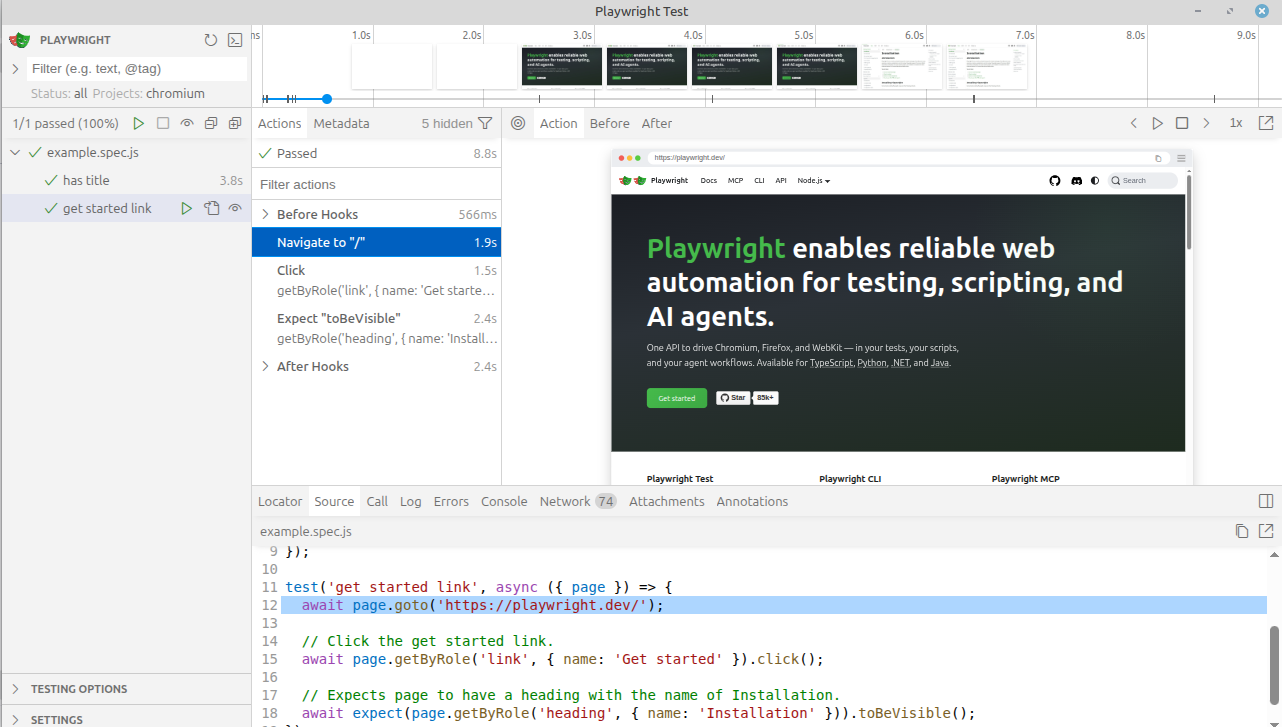
Есть другой способ проведения тестов, через интерфейс пользователя:
$ yarn playwright test --ui
Ссылки
https://playwright.dev/
Автоматизация тестирования с Playwright и Python: настройка, примеры и лучшие практики